Sylcom is a versatile and powerful software used for collecting and analyzing data from connected instruments (Bluetooth or cable), making it an essential software for production and quality control.
The integrated functionalities such as data export (excel, .csv, etc.), monitoring, control plan, and analysis of data through statistics ensure the high standard and quality in production.
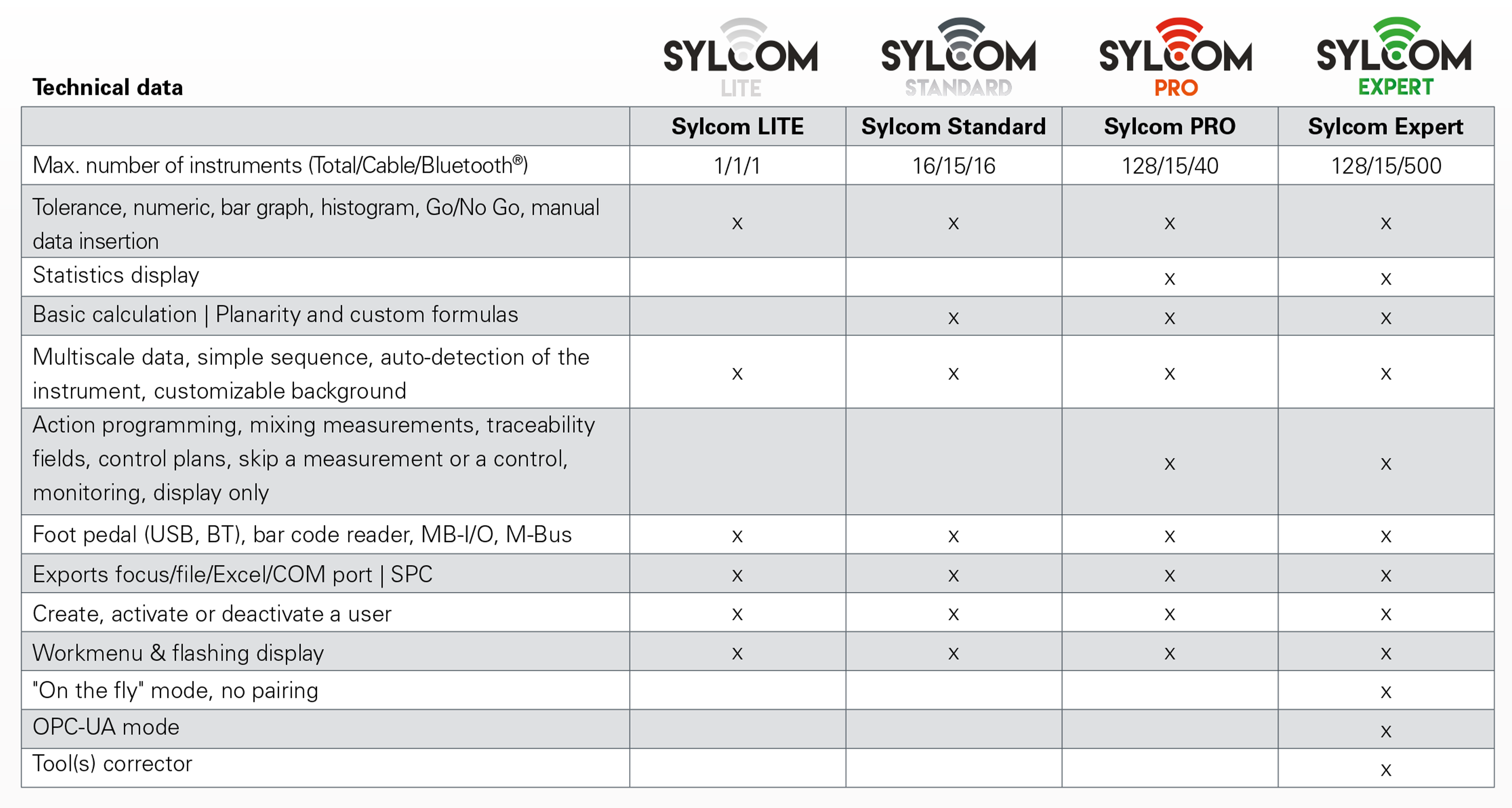
Sylcom is available in four versions to suit your different needs: Lite (Free download, supports one instrument and one pedal), Standard (supports up to 16 instruments), Pro (supports up to 128 instruments), and Expert (Supports up to 500 instruments with on-the-fly mode).
1. Sylcom Lite (Free Version)- Ideal for basic or demo use.
- Supports 1 instrument + 1 foot pedal.
- Great entry point to explore Sylcom features.
- It lasts 60 days.
2. Sylcom Standard- Designed for standard quality control tasks.
- Connect up to 16 devices (max. 15 via USB, plus Bluetooth® or M-Bus).
- Ideal for small labs or moderate-volume environments.
3. Sylcom PRO
Suited for advanced quality management. Supports: 15 instruments via USB, 40 instruments via Bluetooth, and 128 instruments via M-Bus. Includes features: Control plans, Monitoring dashboards, SPC and Excel data export.
4. Sylcom Expert
Built for large-scale industrial setups. All PRO features, plus:
- Connect up to 500 Bluetooth® instruments in "On-the-Fly" mode.
- OPC-UA protocol for industrial communication.
- Automatic CNC tool correction support.
Minimum System RequirementsMake sure your system meets these requirements before installing Sylcom:Software Requirements- Windows 10 or 11 (64-bit).
- NET Framework 4.5+.
- Visual C++ Redistributable 2013 (installed automatically).
Hardware Requirements- Intel i5 processor (64-bit).
- 8 GB RAM (16 GB recommended).
- 4 GB of free disk space.
- Display: 1280x800 (1920x1080 recommended).
- Bluetooth® 4.0 or higher (for wireless use).
Features
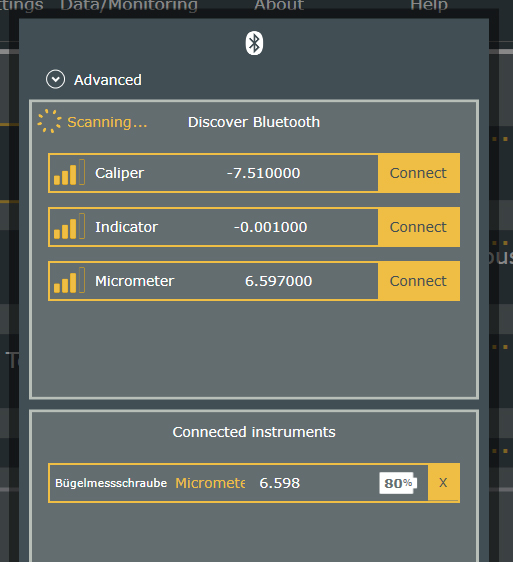
- Bluetooth® connection window displaying the name of the instruments
- When connecting instruments, their name appears in English (calipers, indicators, ...) and no longer in SY....
- On the other hand, a pop-up window indicating the "Mac" address, the article number, the family and the model is available.
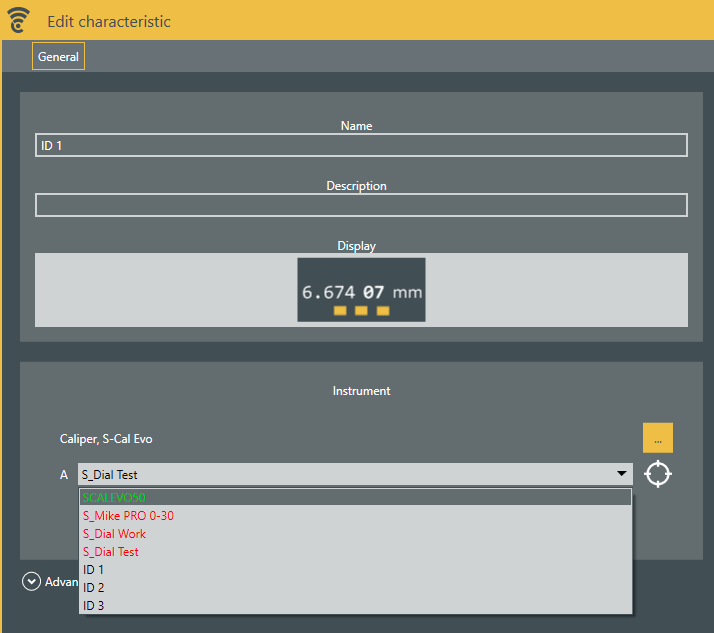
- Display of the characteristic: the compatibility of the instrument for the measurement of this characteristic is defined by a colour
- Instrument in green = instrument of the right category 100% suitable - ideal measurement
- Instrument in orange = instrument of the right family - possible measurement
- Instrument in red = instrument of the wrong family and therefore not suitable measurement impossible
- Instrument in black = no category defined for this characteristic to measure
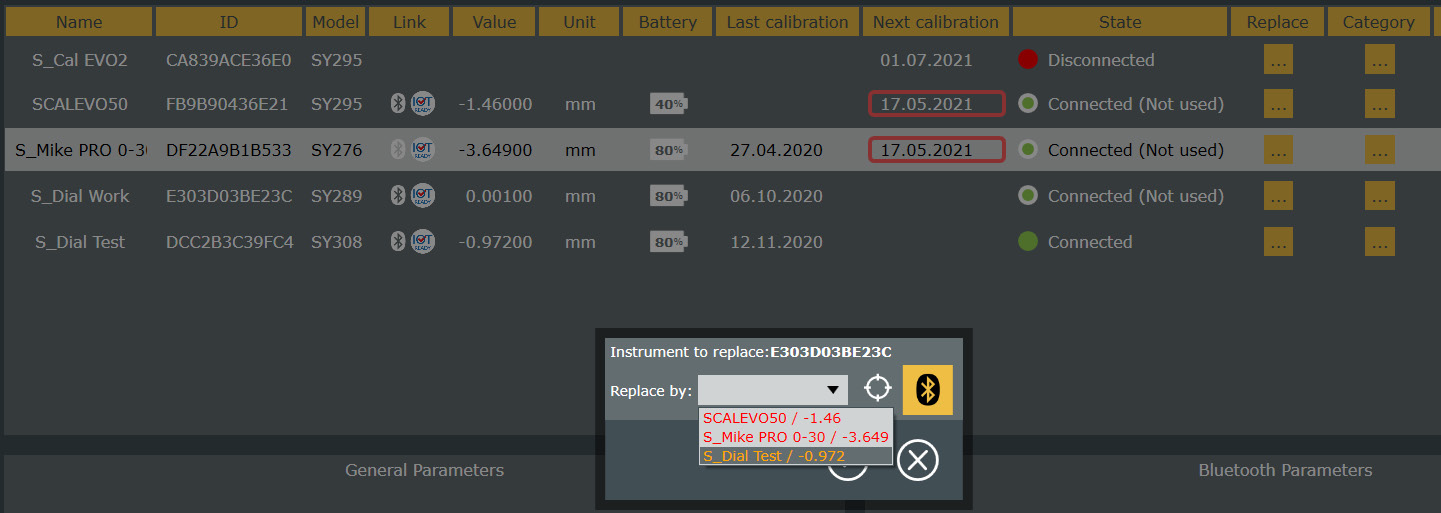
The compatibility of the instrument by colour coding is also available in the "Replace" function in the "Instruments" tab (see image below)
Available in all versions
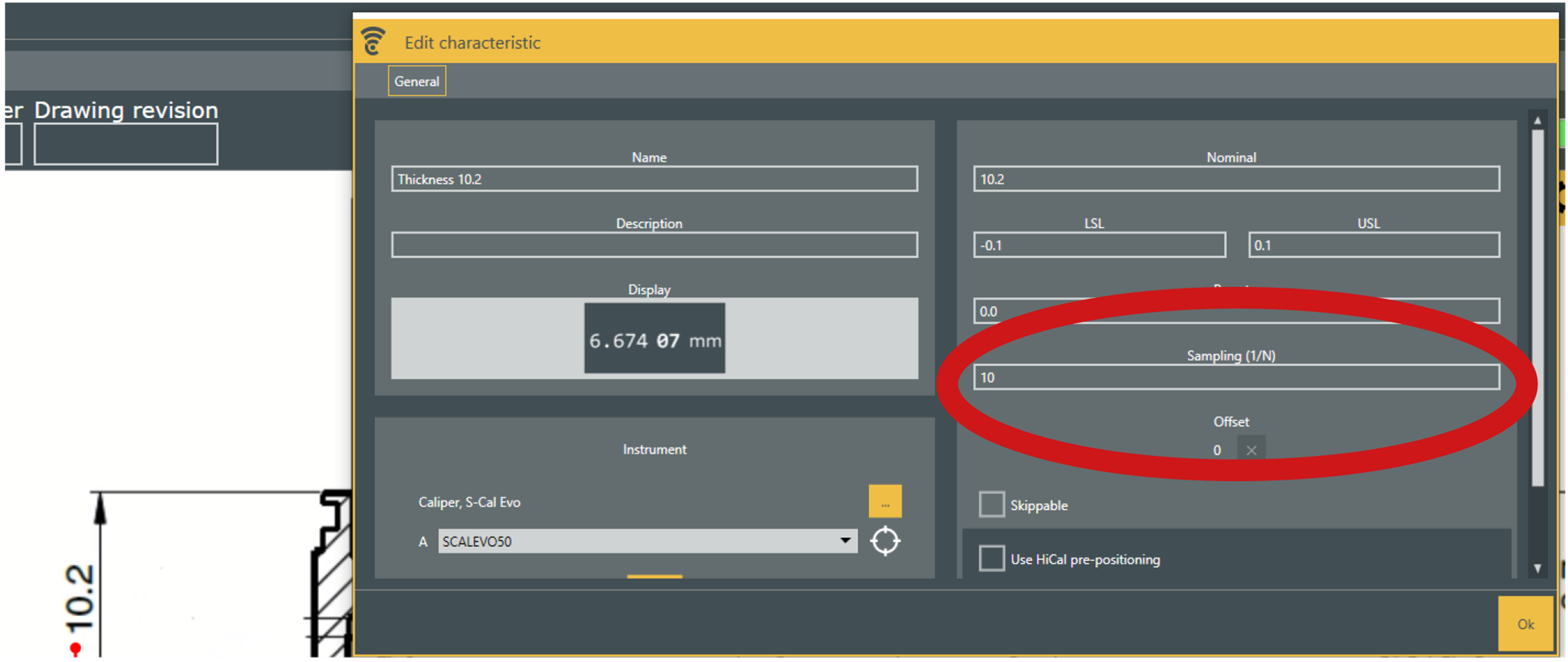
- Parts inspection by sampling during measurements in a control plan
- Example : check 1 part out of 10.
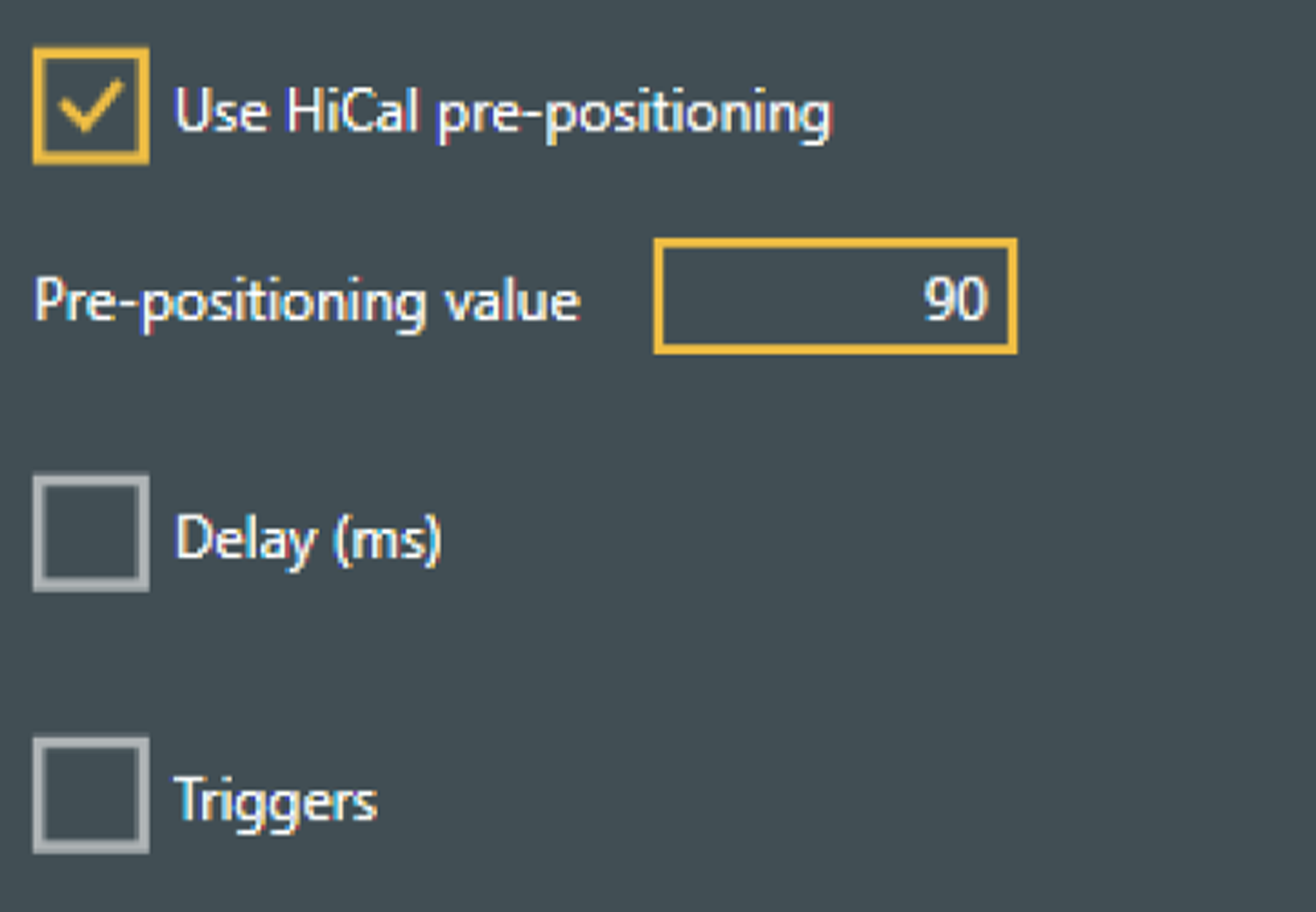
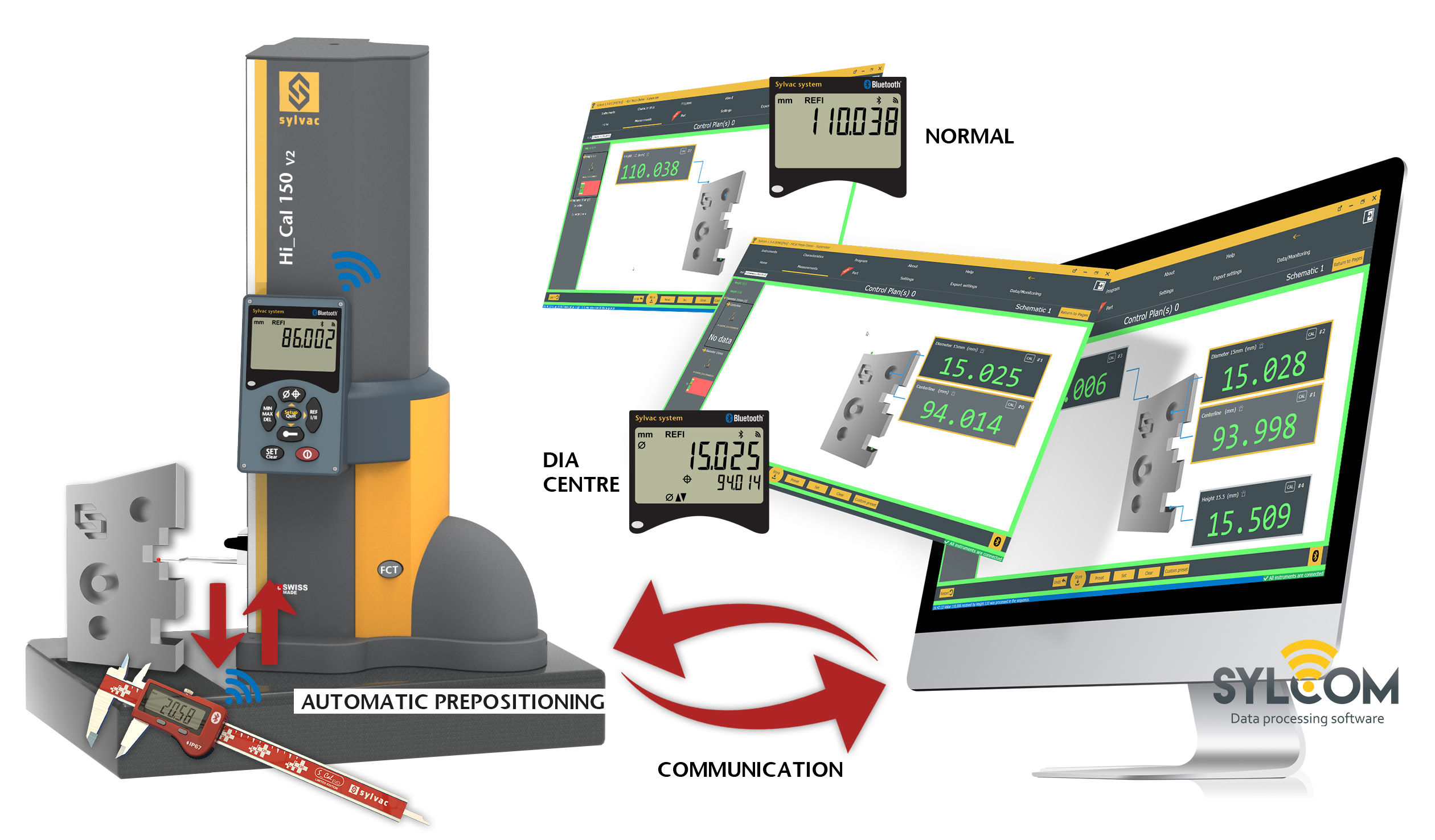
- Pre-positioning of the Hi_Cal V2 measuring probe
- When measuring with the Hi_Cal in a control plan, the measuring probe can be pre-positioned at the correct height.
Available in PRO and EXPERT versions
Available in PRO and EXPERT versions
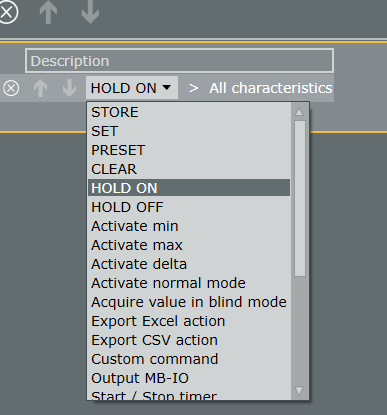
- New functions in the "Program" tab
- Hold ON / Hold OFF action to stop and resume the measurement on demand.
- For example to measure the circularity of an axis without the impact of a keyway.
Available in PRO and EXPERT versions
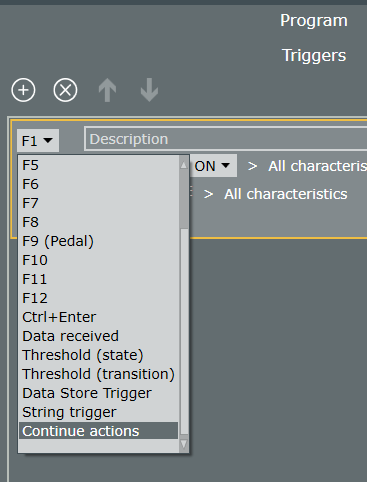
- New functions in the "Program" tab
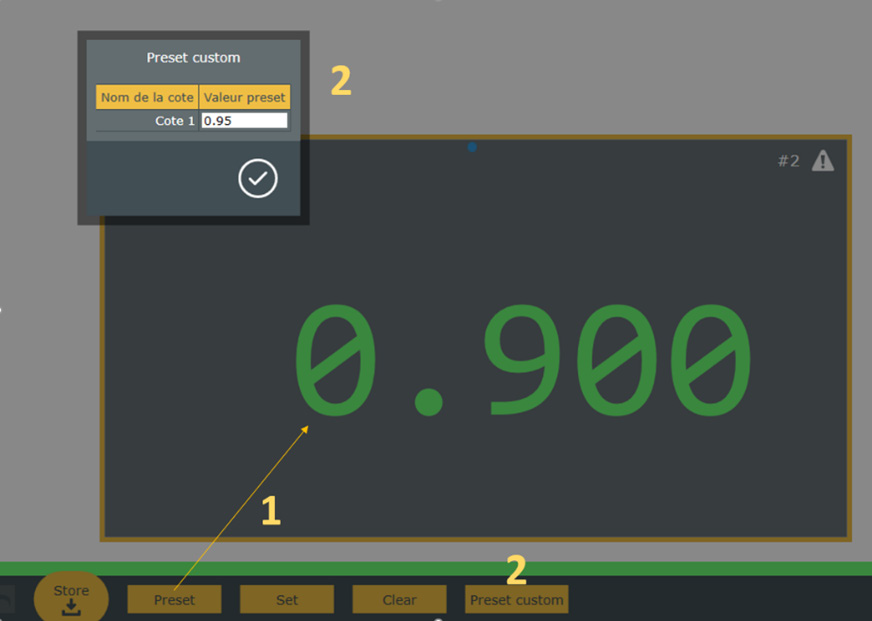
- New "Continue actions" trigger that allows to continue the previous actionCustom Preset
- Custom Preset
- Allows the operator to modify the preset manually during the execution of the control plan, for example in internal measurements with pistol grips whose preset is significantly different for the same nominal.
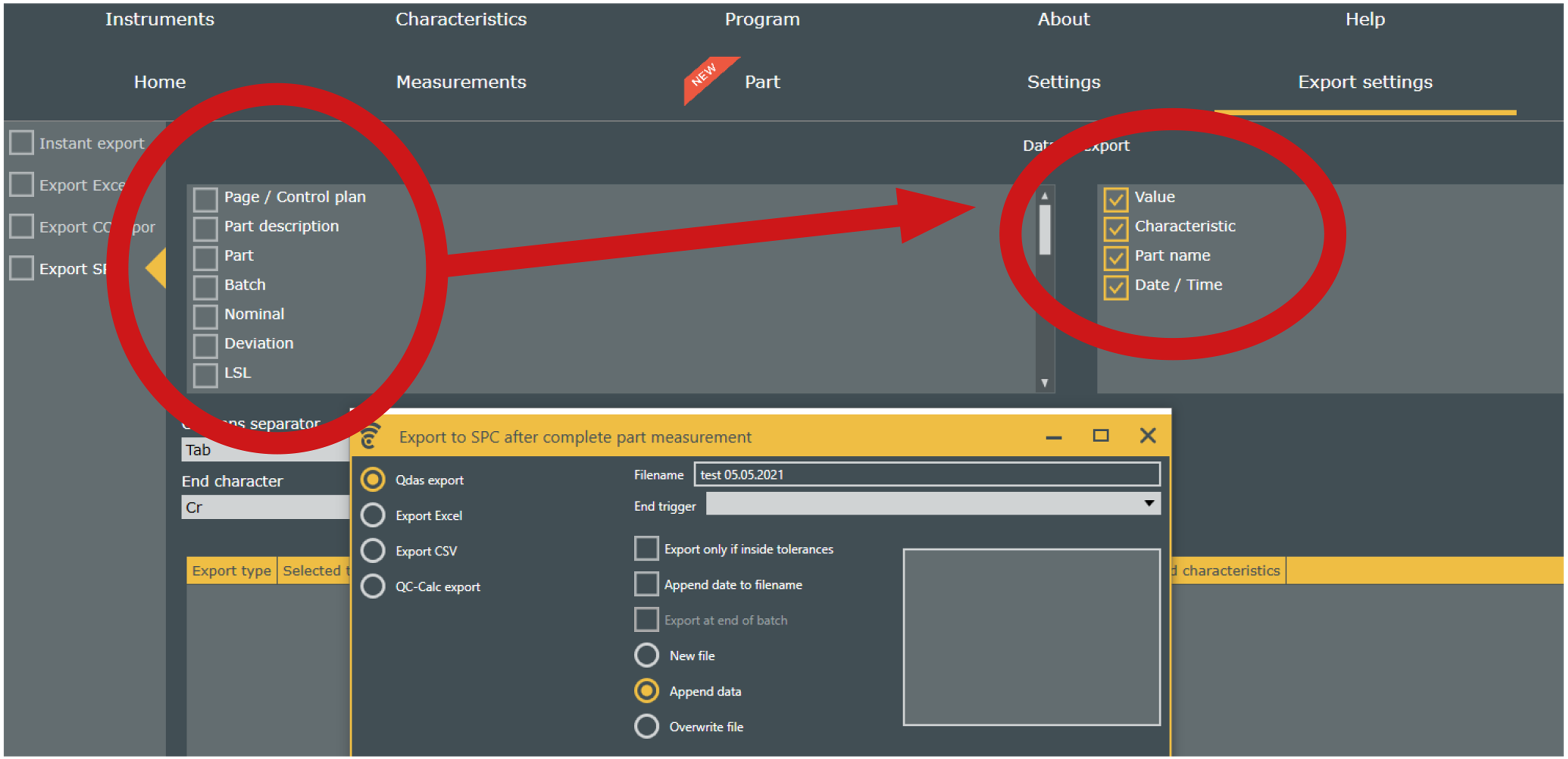
- SPC export
- Possibility to select the elements or values to export. Particularly important for QDAS export.
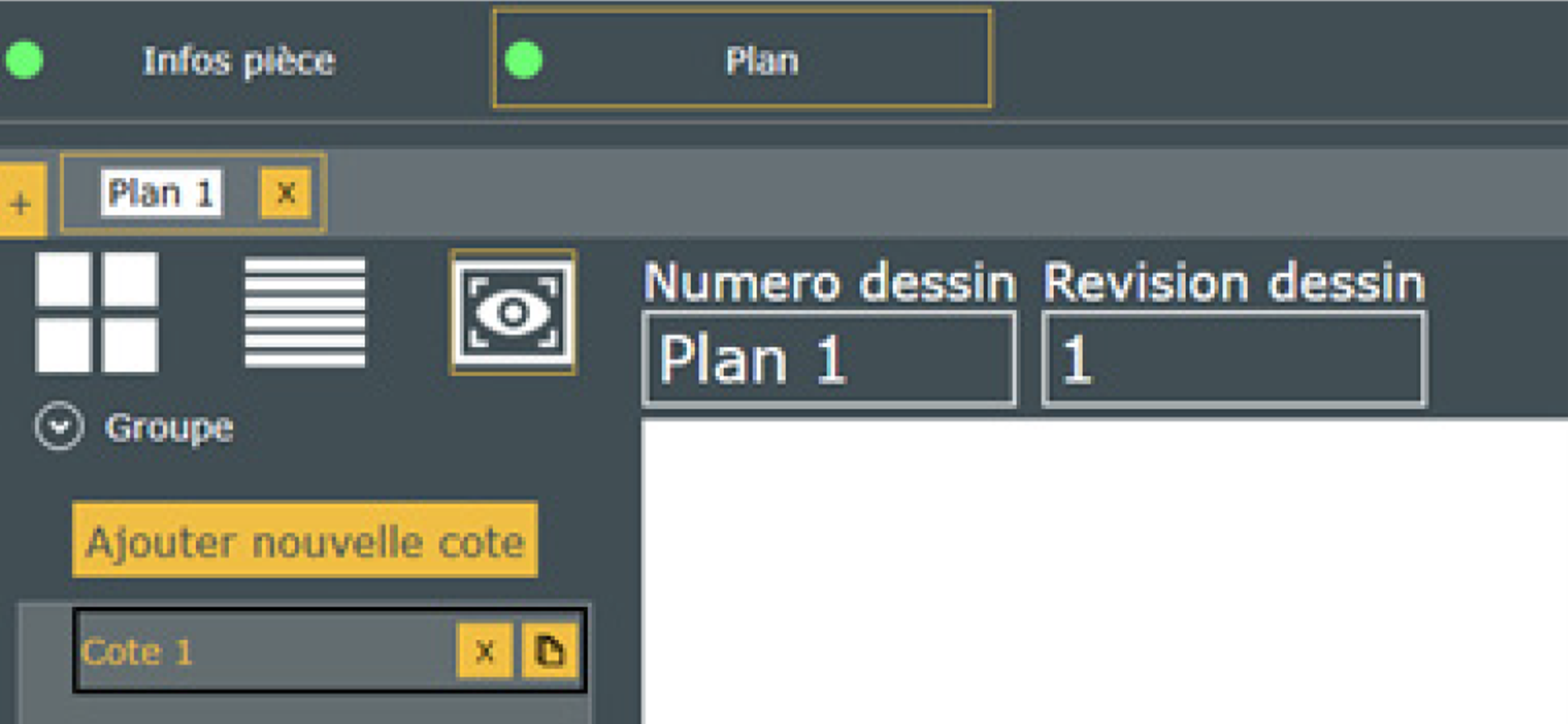
- Addition of 2 new fields in the control plans (important for QDAS)
- Drawing number
- Drawing revision
 Available in PRO and EXPERT versions
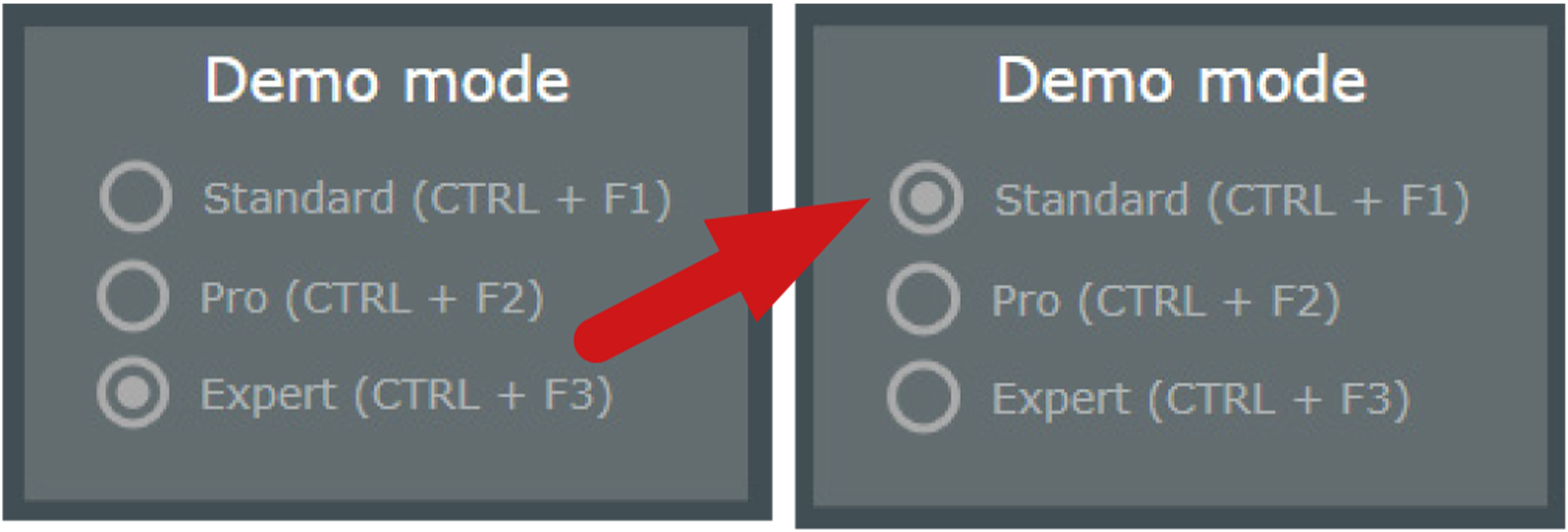
- Possibility to select the version of Sylcom with the Demo license
- This new option allows you to load the STANDARD, PRO or EXPERT version on your computer to demonstrate the features available for each of them.
Choose the version via CTRL + F1 / F2/ F3 in the "About" tab. Please note that this requires a new "demo" activation code that you can obtain from your contact person. From now on, the demo licenses, provided free of charge, are valid for 1 year and must be renewed every year.